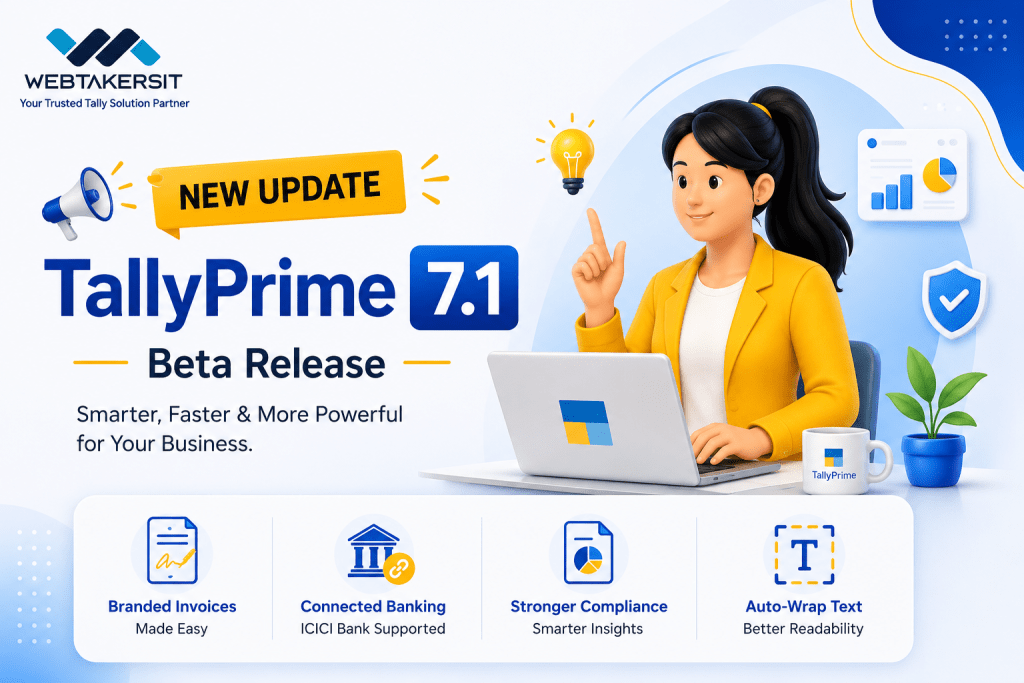
In the fast‑evolving world of business management software, staying current isn’t just a choice – it’s a necessity. TallyPrime has long been the trusted companion for millions of businesses across India and beyond, and with the early access release of TallyPrime 7.1 Beta, the platform takes a giant leap forward. This new version brings a thoughtfully curated set of enhancements designed to simplify everyday workflows, strengthen compliance, and elevate the user experience to new heights.
Whether you are a small enterprise looking to streamline your invoicing, a growing business wanting seamless banking integration, or an accountant striving for flawless GST compliance, TallyPrime 7.1 promises to be a game‑changer. In this comprehensive guide, we explore everything TallyPrime 7.1 has to offer: what it is, its new features, the tangible benefits for your business, and how you can get early access to stay ahead of the curve.
What Is TallyPrime 7.1?
TallyPrime 7.1 is the latest iteration of Tally Solutions’ flagship business management software. As an early access Beta release, it introduces a range of significant upgrades aimed at improving invoicing, banking, compliance, accounting, and overall usability. Built on the rock‑solid foundation of previous TallyPrime versions, Release 7.1 focuses on making routine business tasks faster, more intuitive, and more accurate.
At its core, TallyPrime 7.1 is about simplification without compromise. It empowers businesses to manage their finances, inventory, payroll, and statutory obligations from a single, unified platform – all while introducing smart automation and real‑time integrations that reduce manual effort and errors.
New Features in TallyPrime 7.1 Beta
Tally Solutions has packed TallyPrime 7.1 with an impressive array of new capabilities. Below is a detailed breakdown of the most impactful additions.
1. Professionally Designed Invoice Print Templates
First impressions matter, and your invoice is often the last touchpoint with a customer. TallyPrime 7.1 addresses this by offering eight new pre‑defined invoice templates that are ready to use out‑of‑the‑box. These templates are not just functional; they are designed to reflect your brand identity.
What’s new?
- Rich personalisation options: Add your company logo, a background watermark, header and footer images, custom fonts, and brand colours to highlight key invoice details.
- Terms and conditions: Include clear communication terms directly on the invoice.
- Save as default: Choose your preferred template for each voucher type and set it as the default, ensuring consistency across all your invoices.
This feature transforms a routine document into a professional brand asset – at no extra cost or complexity.
2. IMS Reconciliation: Fetch and Reconcile Party Details with Confidence
Inward supplies reconciliation has always been a pain point for many businesses. TallyPrime 7.1 introduces a major upgrade to the Inward Supplies (IMS) module that simplifies fetching and reconciling party details.
Key improvements:
- Fetch supplier details using GSTIN/UIN: Retrieve trade name, legal name, and address directly from the GST portal, even when the party ledger is not yet created in your books.
- Copy or create ledger: Once fetched, you can copy the party name or create the required ledger for the invoice with a single click.
- Books View: A new view in the IMS Inward Supplies report shows voucher statistics from your books, helping you quickly identify which vouchers are reconciled, mismatched, or available only in your books and need correction.
This enhancement dramatically reduces the time spent on manual reconciliation and ensures your books are always in sync with the GST portal.
3. Schedule III Balance Sheet Support
For companies with net worth below ₹250 Crore, generating financial statements that comply with Schedule III of the Companies Act has become significantly easier. TallyPrime 7.1 introduces an Excel‑based tool that simplifies Schedule III reporting.
How it works:
- The tool is accessible via TallyPrime and allows you to generate compliant financial statements that are stakeholder‑ready in minutes.
- To enable access to Schedule III, you may need to contact your Tally partner.
This feature is a welcome addition for accountants and finance teams who previously had to wrestle with complex formatting and manual adjustments.
4. Connected Banking and Payments (Now with ICICI Bank)
TallyPrime has been steadily building its connected banking ecosystem, and with version 7.1, ICICI Bank joins the list of supported partner banks. This means you can now manage banking activities directly within TallyPrime without switching to your bank’s portal.
Capabilities include:
- Direct payments: Initiate and send online payments from your ICICI bank accounts using Connected Banking.
- Real‑time balances: View live account balances and transaction updates.
- Instant reconciliations: The system continues to support Axis Bank, State Bank of India, and Kotak Mahindra Bank alongside ICICI.
5. Enhanced Banking Experience: Potential Matches Summary & Bill‑wise Details
Beyond new bank integrations, TallyPrime 7.1 refines the entire banking workflow.
- Potential Matches Summary: A new summary view shows the count of book or bank transactions in different sections, allowing you to reconcile transactions within each section efficiently.
- Bill‑wise Details in Multi‑Voucher Creation: Now you can add bill‑wise details while creating multiple vouchers using bank statements.
- Automated accounting from bank statements: Import bank statements, assign ledger names, and complete payment and receipt voucher accounting with a single click.
These enhancements make bank reconciliation faster, more accurate, and far less tedious.
6. HSN/SAC Validation for GST Compliance
Accuracy in HSN/SAC codes is critical for GST compliance. TallyPrime 7.1 now allows you to validate HSN/SAC codes online directly within the software.
Where can you validate?
- While creating or editing stock item masters.
- Within GST reports such as GSTR‑1 and HSN/SAC Summary.
This real‑time validation helps catch errors early, ensuring your returns are accurate and reducing the risk of notices from tax authorities.
7. E‑Way Bill and E‑Invoice Enhancements
GST compliance gets another boost with several targeted improvements:
- Claim refunds for export e‑invoices: Enable the option in Export Details to directly claim refunds.
- Exclude transactions from e‑Way Bill: You can now mark transactions that do not require an e‑Way Bill directly in the voucher.
- Update GST Return Effective Date: Change the effective date for all returns at once or for specific returns such as GSTR‑1, GSTR‑2A, GSTR‑2B, and GSTR‑3B.
- Special e‑Way Bill rules for Kerala: Generate e‑Way Bills for gold and precious stone supplies within Kerala without needing to enter Part B or Transporter ID details.
These updates demonstrate Tally’s commitment to keeping pace with evolving statutory requirements.
8. Accounting Enhancements
Day‑to‑day accounting also receives thoughtful improvements:
- Flexible discount application: Apply discounts as a percentage, as an amount, or both in your purchase and sales transactions.
- Reuse deleted voucher numbers: Quickly access and reuse deleted voucher numbers in any voucher, maintaining cleaner numbering sequences.
9. Auto Wrap Text for Better Readability
A small but highly appreciated quality‑of‑life improvement: Auto Wrap Text ensures that long text in masters, transactions, and reports is displayed clearly without being cramped or compressed. Vendor names, descriptions, and notes are now easy to read at a glance.
10. Edit Log Options for MCA Compliance
TallyPrime 7.1 Beta offers two options for the Edit Log:
- Disabled by default: You can enable it based on your business requirements.
- Permanently activated: Choose this to keep the Edit Log permanently activated as per India’s MCA (Ministry of Corporate Affairs) compliance and for internal control.
This flexibility allows businesses to choose the level of audit trail that suits their regulatory needs.
Benefits of Upgrading to TallyPrime 7.1
Upgrading to a new software version is not just about accessing new features – it’s about the tangible benefits those features bring to your business. Here’s how TallyPrime 7.1 can positively impact your operations.
1. Enhanced Branding and Professionalism
With the new invoice print templates, your invoices are no longer just functional documents – they become a reflection of your brand. Adding logos, watermarks, and custom colours creates a consistent, professional image that builds trust with your customers.
2. Time Savings Through Automation
Connected banking, automated reconciliation, and one‑click accounting from bank statements reduce hours of manual data entry. The Potential Matches Summary and Books View in IMS reconciliation help you identify discrepancies instantly, cutting down reconciliation time significantly.
3. Improved Compliance and Reduced Risk
HSN/SAC validation, e‑Way Bill exclusions, export refund claims, and GST return effective date updates all work together to minimise compliance errors. The Schedule III tool ensures your financial statements meet regulatory standards without last‑minute scrambling.
4. Better Cash Flow Visibility
Real‑time bank balances and transaction updates within TallyPrime give you an up‑to‑the‑minute view of your cash position. This empowers you to make proactive financial decisions rather than reacting to outdated information.
5. Simplified Banking Workflows
Managing payments across multiple banks (ICICI, Axis, SBI, Kotak) from a single interface eliminates the need to log in and out of different portals. Generating bulk payment files in bank‑specific formats and uploading them directly saves time and reduces errors.
6. Greater Operational Efficiency
Auto Wrap Text may seem minor, but it eliminates the frustration of truncated text in reports and printouts. Flexible discount options and reusable voucher numbers streamline daily voucher entry. Every small improvement adds up to a smoother, faster workflow.
7. Scalability and Future‑Readiness
By adopting the early access Beta, you position your business to adapt quickly to future statutory changes. Features like Edit Log for MCA compliance and Schedule III support ensure that your software grows with your regulatory obligations.
Detailed Walkthrough of Key Modules
To truly appreciate TallyPrime 7.1, let’s dive deeper into how the new features enhance specific functional areas.
Invoicing and Branding Module
Invoices are the lifeblood of B2B transactions. TallyPrime 7.1’s new invoice templates allow you to:
- Choose from eight ready‑to‑use designs.
- Personalise with logos, watermarks, and header/footer images.
- Apply custom fonts and brand colours.
- Add terms and conditions for legal clarity.
- Save and set a default template per voucher type.
Use case: A wholesale distributor can now send invoices that prominently display their logo, payment terms, and a watermark reading “Tax Invoice” – all generated automatically with every sale.
IMS Reconciliation Module
The Inward Supplies module is critical for businesses that rely on vendor invoices for input tax credit. The 7.1 enhancements include:
- Fetch supplier details using GSTIN – even if the party is not in your ledger.
- Copy or create ledger in one step.
- Books View to compare your book entries with portal data side‑by‑side.
Use case: A manufacturing company receives 200 vendor invoices monthly. Instead of manually matching each one, they use Books View to instantly spot mismatches and correct them before filing GSTR‑3B.
Banking and Reconciliation Module
Banking is no longer a separate chore – it is integrated directly into your accounting flow:
- Connected Banking with ICICI, Axis, SBI, and Kotak.
- Real‑time balances and transaction updates.
- Potential Matches Summary for faster reconciliation.
- Bill‑wise details during multi‑voucher creation.
- Bulk payment file generation in bank‑specific formats.
Use case: A retail chain with 5 bank accounts reconciles all of them in under 30 minutes, thanks to the Potential Matches Summary and automated matching suggestions.
GST Compliance Module
TallyPrime 7.1 treats GST compliance as an end‑to‑end process:
- HSN/SAC validation directly in masters and GSTR‑1.
- E‑Way Bill generation with exclusions for non‑applicable transactions.
- Export e‑invoice refund claims.
- GST Return Effective Date updates for all returns at once or individually.
- Special Kerala rules for gold and precious stones.
Use case: An export‑oriented business can now generate e‑invoices, claim refunds, and file GSTR‑1 without leaving TallyPrime – reducing the risk of mismatches and penalties.
Accounting Module
Everyday accounting is smoother with:
- Discounts as percentage, amount, or both.
- Reuse deleted voucher numbers to maintain clean sequences.
- Auto Wrap Text for clear displays of long entries.
Use case: An accountant processing 100 purchase vouchers daily can now apply a 5% discount plus a fixed ₹500 discount on the same line item – a combination previously unavailable.
| Feature Area | Previous TallyPrime Versions | TallyPrime 7.1 Beta |
|---|---|---|
| Invoice Templates | Basic templates with limited customisation | 8 pre‑defined templates with logos, watermarks, custom fonts, and colours |
| IMS Reconciliation | Manual matching of party details | Fetch supplier details by GSTIN; Books View for side‑by‑side comparison |
| Connected Banking | Supported Axis, SBI, Kotak | Added ICICI Bank; direct payments, real‑time balances, instant reconciliations |
| Bank Reconciliation | Manual matching | Potential Matches Summary; bill‑wise details during multi‑voucher creation |
| GST Compliance | No online HSN validation | Real‑time HSN/SAC validation in masters and GSTR‑1 |
| Schedule III | Not available | Excel‑based tool for companies with net worth below ₹250 Cr |
| Edit Log | Limited or separate activation | Two options: disabled by default or permanently activated for MCA compliance |
| Accounting Flexibility | Discounts as percentage or amount | Discounts as percentage, amount, or both |
| Text Display | Text often crammed or truncated | Auto Wrap Text for clear, readable displays |
How to Get Early Access to TallyPrime 7.1 Beta
Tally Solutions is offering early access to TallyPrime 7.1 Beta for users who want to explore the new features before the full stable release. Here’s how you can get started.
Step‑by‑Step Installation
- Back up your company data. Always create a complete backup before installing any Beta software.
- Download the Beta setup. Visit the official Tally Solutions download page: https://tallysolutions.com/download-tallyprime-7-1-beta/.
- Run the installer. Choose the appropriate Edit Log option (Disabled by default or Permanently activated).
- Install and launch. Follow the on‑screen instructions to complete the installation.
- Activate your license. Your existing TallyPrime license (with an active Annual Maintenance Contract) should work with the Beta. If you encounter issues, contact your Tally partner.
- Test in a safe environment. We strongly recommend testing the Beta on a non‑production system first.
Important Considerations for Beta Users
- Edit Log Options: The Beta offers two choices – disabled by default (you can enable later) or permanently activated for MCA compliance. Choose wisely, as this affects your audit trail.
- Schedule III Access: To enable Schedule III functionality, you may need to contact your Tally partner.
- Backup regularly: Beta software can have unforeseen issues. Maintain frequent backups.
- Provide feedback: Tally encourages Beta users to report any bugs or suggestions to improve the final release.
Real‑World Use Cases
Use Case 1: E‑Commerce Seller with Multi‑Bank Accounts
Challenge: The seller uses ICICI for collections, SBI for payouts, and Kotak for payroll. Reconciling three bank accounts manually takes 8 hours every week.
Solution with TallyPrime 7.1: With Connected Banking supporting all three banks, the seller views real‑time balances and reconciles all accounts in under 2 hours using the Potential Matches Summary. Bulk payment files are generated directly from TallyPrime, eliminating manual data entry.
Use Case 2: Manufacturing Company with High Vendor Volume
Challenge: The company processes 500 vendor invoices monthly. Matching each invoice to the GST portal for input tax credit is error‑prone and time‑consuming.
Solution with TallyPrime 7.1: The IMS Inward Supplies module with Books View allows the accounts team to fetch supplier details by GSTIN and instantly see which invoices are mismatched. Reconciliation time drops from 3 days to 4 hours.
Use Case 3: Chartered Accountant Serving Multiple Clients
Challenge: The CA needs to generate Schedule III compliant balance sheets for several small companies. Previously, this required manual Excel work and frequent adjustments.
Solution with TallyPrime 7.1: The built‑in Schedule III Excel‑based tool generates stakeholder‑ready financial statements in minutes, saving hours per client.
If you’re planning to buy TallyPrime or need support for your existing Tally setup, we’re here to help. Contact Webtakersit
📞 Contact Us:
+91-9910022478
📧 Email:
info@webtakersit.com
Yes, if you have an active Annual Maintenance Contract (AMC) for TallyPrime, you can download and use the Beta at no additional cost.
TallyPrime 7.1 supports ICICI Bank, Axis Bank, State Bank of India, and Kotak Mahindra Bank.
After installing the Beta, you may need to contact your Tally partner to enable access to the Schedule III tool.
Yes, Auto Wrap Text applies to masters, transactions, and reports – ensuring long text fields are displayed clearly without being cut off.
