Latest Posts

How to Generate ITC in GSTR-2B from October 2025: Step-by-Step Guide

From October 2025, the method of producing and claiming Input Tax Credit (ITC) in GSTR-2B will follow updated compliance policies underneath GST. These adjustments purpose to make ITC reporting extra accurate and transparent by means of ensuring taxpayers affirm every invoice earlier than claiming credit score. This blog explains the complete procedure little by little, outlines the brand new capabilities just like the “Recompute” option, and highlights how to include TallyPrime’s Integrated Management System (IMS) can simplify reconciliation and compliance for your organizations.

Step-by-Step Process to Generate ITC in GSTR-2B

Generating ITC in GSTR-2B include following steps to make sure that best valid, tax-paid invoices are claimed. Here’s a complete explanation of how to complete the technique efficiently under the October 2025 update.

Step 1: Log in to the GST Portal

Visit the GST portal and log in using your registered GSTIN number, then navigate to the “Returns Dashboard” and pick the relevant return period, starting with October 2025.

Step 2: Access GSTR-2B

Under the Returns section, pick out “GSTR-2B (Auto-drafted ITC Statement).” The portal automatically compiles invoices and credit score notes uploaded with the support of your suppliers in GSTR-1, GSTR-5, and GSTR-6. Review information along with supplier GSTIN, bill number, date, taxable value, and tax breakup.

Step 3: Review Auto-Populated Invoices

Recheck while confirming each bill displayed. review on supplier information, GSTIN, tax, and bill dates must be correct and the same as your purchase list. In case of a mismatch, connect with the supplier to check on their GSTR-1 submission immediately.

Step 4: Take Invoice-Level Action

From October 2025, taxpayers are required to take precise moves on each invoice earlier than ITC can be claimed. You need to mark invoices as:

Accept: The invoice information are accurate and eligible for ITC.

Reject: The bill is wrong, unrelated, or ineligible.

Hold: The invoice needs some verification

Only conventional invoices might be considered for ITC calculation in GSTR-3B.

Step 5: Use the Recompute Option

After acting all invoice actions, select the “Recompute ITC” choice. This robotically refreshes and recalculates your eligible ITC based on accepted invoices and any dealer-side updates. This will take care of credit score that reflects the new and accurate data.

Step 6: Download and Reconcile

Download the updated GSTR-2B in either PDF or JSON format. Reconcile it along with your purchase statistics in TallyPrime or your accounting machine. this will make sure that ITC you declare in GSTR-3B precisely matches what is to be had in GSTR-2B, preventing future mismatches or notices.

Step 7: Get ITC in GSTR-3B

After verifying and reconciling, claim ITC in the GSTR-3B go back to the correct tables. Avoid which includes any unverified or ineligible credit to live compliant and decrease the risk of credit score reversal or consequences.

Key Changes Effective from October 2025

The GST Council’s recent updates purpose to beautify ITC accuracy and decrease fraudulent claims. The following adjustments outline the brand new compliance structure.

Auto-Population Continues with Validation

The portal will maintain to auto-populate supplier information, but more validation checks are added now It allows verified and tax-paid invoices will to ITC, even as incorrect or pending ones will be marked separately.

Must Invoice Confirmation

Every taxpayer must manually confirm or reject invoices before including  them in ITC. Automatic inclusion without review will not be allowed. this make sure every ITC entry is checked with the support of valid documentation.

Increased Compliance Responsibility

Businesses need to monitor supplier filings, communicate, and maintain accurate purchase records. These new steps might also increase compliance work but significantly enhance long term transparency.

The Recompute Feature

The Recompute feature simplifies one of the maximum challenging elements of GST reconciliation. this will permits taxpayers to instantly regenerate GSTR-2B data each time new invoices are uploaded or dealer corrections are made.

When and How to Use It

You need to use the Recompute feature:

  • After finishing bill-level movements (accept/reject/hold)
  • When supplier gives late invoices or make corrections.
  • Before finalizing ITC in GSTR-3B to make sure no updates are ignored.
  • By recalculating ITC immediately, organizations can avoid discrepancies between supplier filings and their credit.

What Happens If You Don’t Act on Time

If you fail to take actions on time can lead to so many problems like:

Delayed ITC reflection: Unconfirmed invoices will not appear to your summery.

Mismatch: if it mismatch between GSTR-1 and GSTR-2B might also trigger notices from GST authorities.

Interest and penalties: Claiming wrong ITC can attract interest and penalties.

Blocked credit: non-compliance or delayed reconciliation may also bring credit score suspension.

IMS with TallyPrime: Smarter ITC and Simplified Compliance

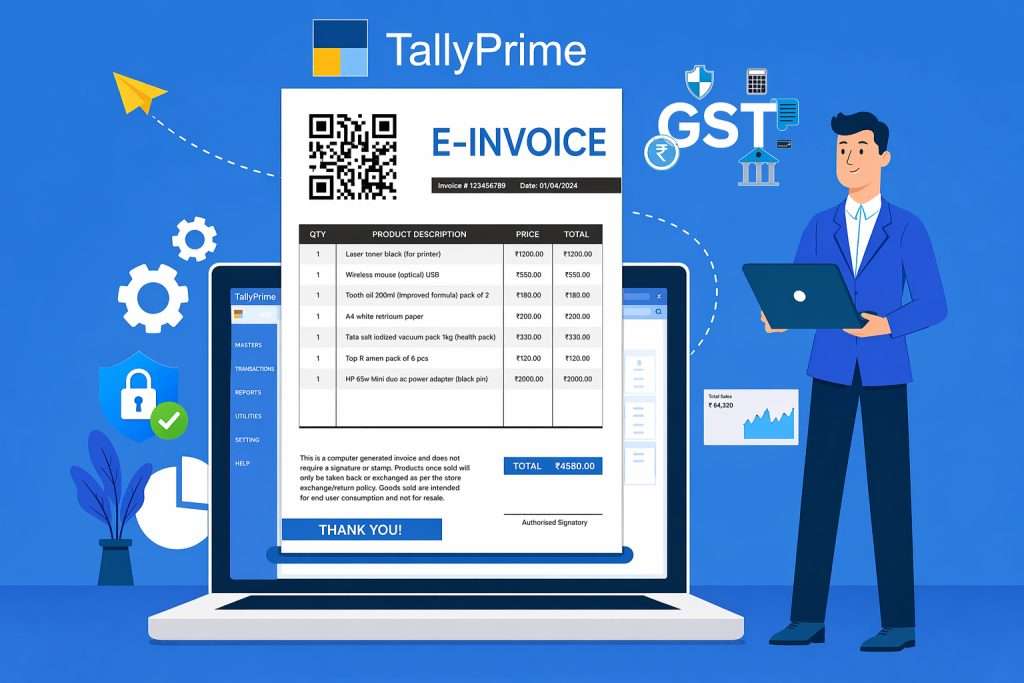
Managing ITC manually can be time taking and may have higher chances of mistakes, specially with new mandatory checks. TallyPrime’s Integrated Management System (IMS) presents a dependable and quick solution by using automating maximum of the reconciliation works.

What IMS Does

IMS without delay connects TallyPrime with the GST portal, allowing automatic import of GSTR-2B statistics. It suits supplier invoices along with registeration, identifies mismatches, and recalculates ITC in actual time.

IMS Simplifies ITC Management

  • Automatically downloads GSTR-2B information from the portal.
  • Compares supplier invoices with recorded purchases.
  • Highlights mismatched or missing invoices for correction.
  • Offers one-click recompute and reconciliation features.
  • Generates up-to-record ITC and reports.

Benefits of Using IMS in TallyPrime

  • Reduces manual data entry and lessen human errors.
  • Make sure that it done quickly with accuracy among books and GST records.
  • Helps declare a 100% legitimate ITC even as heading off noteligible credit.
  • It helps in preparing audit reports without and issues without any complications..
  • Businesses that takes IMS can save time, make sure accuracy, and maintain constant compliance.

Conclusion

From October 2025, generating ITC in GSTR-2B requires more cautious validation and timely movement. Every invoice must be reviewed and confirmed earlier than credit can be claimed, accuracy and compliance. While these updates may additionally seem disturbing, they assist create a greater transparent tax system and decrease mismatches between suppliers and customers. Businesses can simplify these obligations with the support of using automatic solutions like TallyPrime’s IMS, which offers real-time reconciliation, recompute features, and mistakes-loose ITC tracking. With proactive control and the right equipment, staying GST compliant may be both efficient and hussel free.

Complete Guide to Download and Install Tally Prime 6.2

If you’re searching for a simple, step-by-step guide to download and install Tally Prime 6.0, you’ve come to the right place. Tally Prime is one of the most trusted accounting software solutions, widely used for its ease of use, advanced features, and powerful performance.

This article will walk you through the entire process — from system requirements to installation, activation, and troubleshooting.


Key Features of Tally Prime 6.0

Before we move to the installation steps, here are some of the standout features of Tally Prime 6.0:

  • User-friendly interface for seamless navigation
  • Enhanced GST compliance and reporting tools
  • Stronger data security and user access controls
  • Faster performance and improved data handling
  • Smooth migration from older Tally versions

System Requirements for Tally Prime 6.0

Make sure your system meets these minimum requirements before you proceed:

  • Operating System: Windows 7, 8, 10, or 11 (64-bit recommended)
  • Processor: 1.8 GHz or higher
  • RAM: Minimum 2GB (4GB recommended for better performance)
  • Storage: 150MB free disk space
  • Internet: Required for license activation and updates

How to Download Tally Prime 6.0

Follow these steps to download the latest version:

  1. Visit the official TallyTech Solutions website.
  2. Go to the Tally Prime section.
  3. Click on the Download Tally Prime 6.0 button.
  4. Once downloaded, locate the setup file in your Downloads folder.

How to Install Tally Prime 6.0

After downloading, proceed with the installation:

  1. Run Setup File – Double-click the downloaded file.
  2. Choose Destination Folder – Select where you want to install Tally Prime 6.0.
  3. Start Installation – Click Install and wait for the process to complete.
  4. Launch & Activate – Once installed, open Tally Prime and activate your license.

Activating Tally Prime 6.0

To activate the software:

  1. Open Tally Prime 6.0.
  2. Select Activate License.
  3. Enter your Serial Number and Activation Key.
  4. Click Submit and restart the software.

Troubleshooting Common Issues

If you face any errors during installation or activation, try the following:

  • Confirm your system meets the minimum requirements.
  • Temporarily disable antivirus software during installation.
  • Run the setup file as an administrator.
  • Ensure a stable internet connection for activation.

Conclusion

Installing Tally Prime 6.0 is quick and hassle-free when you follow the right steps. With its improved features, speed, and compliance tools, it is an ideal solution for businesses and accounting professionals.

For additional help, visit the official Tally Solutions website or contact their support team.

? If this guide was useful, don’t forget to share it with others who may find it helpful!

Discover the Top 10 Tally Prime Features Your Business Needs

In today’s fast-paced digital world, businesses rely on robust accounting tools to stay efficient and compliant. Tally Prime continues to shine as a top-tier accounting software—especially when enhanced with smart integrations and tailored reporting. Here are the Top 10 Features of Tally Prime that make it a standout, plus how WebTakersIT can help you harness its full potential.

1. User-Friendly Interface

Tally Prime boasts an intuitive, clean interface that anyone—even without an accounting background—can master with ease. Simplicity is at its core, helping teams get up to speed fast. 

2. Seamless GST Compliance

Stay audit-ready with built-in support for GST returns. Generate GSTR-1, GSTR-3B, and GSTR-4 effortlessly—saving time and minimizing compliance errors. 

3. Customizable Invoicing

Deliver professional invoices swiftly with options to personalize designs, include logos, and directly email or print them from within Tally Prime. 

4. Multi-Currency Handling

Ideal for global businesses—Tally Prime manages multiple currencies in a single ledger and auto-converts based on current exchange rates. 

5. Smart Bank Reconciliation

Upload your bank statements and let Tally Prime automatically match transactions, simplifying what’s usually a complex task. 

6. Efficient Inventory Management

Track stock levels, set reorder thresholds, and generate inventory reports with ease using Tally Prime’s inventory suite. 

7. Cost Center Analytics

Allocate and monitor expenses by cost centers. Identify budget overruns and cost-saving opportunities using detailed reports. 

8. Strong Security Measures

Protect your financial data with role-based access controls and encrypted storage to guard against unauthorized access. 

9. Automatic Backup & Recovery

Say goodbye to data loss fears. Tally Prime supports both manual and automatic backups, so your records are always safeguarded. 

10. Remote Access Flexibility

Access Tally Prime from anywhere—via browser or mobile app—making remote collaboration and financial oversight simple and secure. 


Why Partner with WebTakersIT for Tally Prime?

While Tally Prime offers robust core functionality, many businesses benefit from enhanced reporting, visual dashboards, and automation features. That’s where WebTakersIT can elevate your experience:

  • Seamless Tally Data Integration
    Connect Tally Prime with BI tools and external data sources like Excel to centralize financial insights.

  • Dynamic Dashboards & Reports
    Get access to rich, visual dashboards and over 99+ pre-built, interactive reports tailored for various industries—from manufacturing to IT and services.

  • Automated Insights & Alerts
    Schedule reports and deliver them to stakeholders automatically via email, with real-time alerts to keep critical business metrics top of mind.

  • Fully Customizable Solutions
    Configure reports, UI, workflows, and dashboards to match your unique business requirements.


Want to explore how WebTakersIT can optimize your Tally Prime setup? Reach out today—we’re ready to help. Call Us at 9910022478

Scroll to Top